
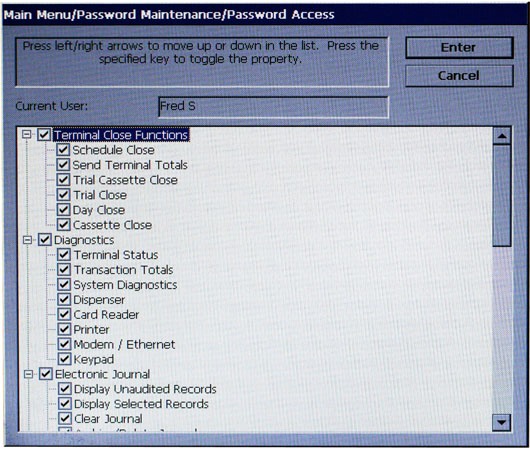
Check/uncheck those items to set access possibilities for the user.
PASSWORD ACCESS displays a list of Management Functions that can be accessed to the user. The functions are organized according to Main menu headings. Checked items will be accessible and un-checked items will not.
Follow these steps to select/deselect an entire functional group or specific function:
1 Use the left and right arrow keys (< >) to move the highlight bar up and down the list. You can highlight a functional group name (Terminal Close Functions, Diagnostics, Electronic Journal, Terminal Configuration, System Parameters, and Key Management) or a specific function within a group.
2 To de-select ALL the functions within a group, highlight the group name and press the CTRL key to remove the checkmark next to the group name. ALL functions within the group will be deselected (checkmarks removed) indicating that access to these functions will be denied.
3 To select ALL functions within a group, highlight the group name and press the CTRL key to add a checkmark next to the group name. ALL functions within the group will be selected (checkmarks added) indicating that access to these functions will be allowed.
4 To deselect a specific function within a group, highlight the function and press the CTRL key to remove the checkmark from the function.
5 To select a function, highlight the function and press the CTRL key to add a check mark.
6 Press ENTER to accept your choices. The user will be able to access only those functions that were selected (checkmarks added). All others will be denied.