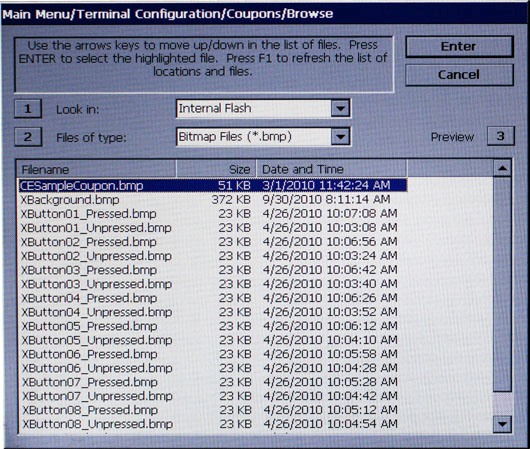
Description
The browse controls are:
1 Look in - Press 1 to cycle through the locations where coupon graphics are located: internal flash or external memory device.
2 Files of type - Press 2 to select the graphic file type for the printed coupon.
NOTE: Coupon graphics must be Bitmaps (.bmp).
3 Preview - Press 3 to preview the selected coupon graphic. See example
Use the arrow keys (< and >)to scroll/highlight a file.
Press ENTER to accept the highlighted coupon graphic.
Return to Coupons menu
Return to Terminal Configuration
Return to Main Menu