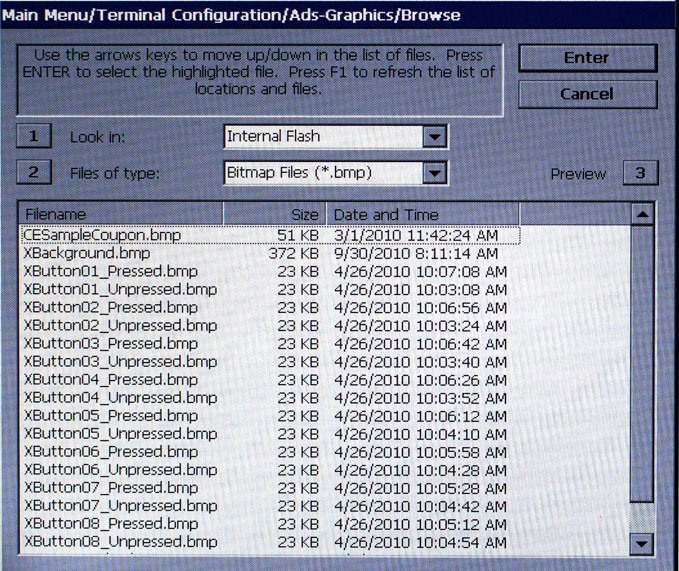
The Browse screen enables
you to locate and select the image to add to the Ads rotation.
1
Look in - Press 1
repeatedly to cycle through the available locations (USB drive, flash
card, etc.) for images.
2
Files of type - Press 2
repeatedly to cycle through the available graphic and image file types.
If any files of the selected type are present in the Look
in location, they will be displayed in the Browse list. Choose
from a number of graphic and image file types, such as Bitmap, JPG,
and GIF.
3
Preview - Press 3
to see a preview of the selected image, graphic or video file. Press
ENTER
to exit from the preview window and return to the browse dialog.