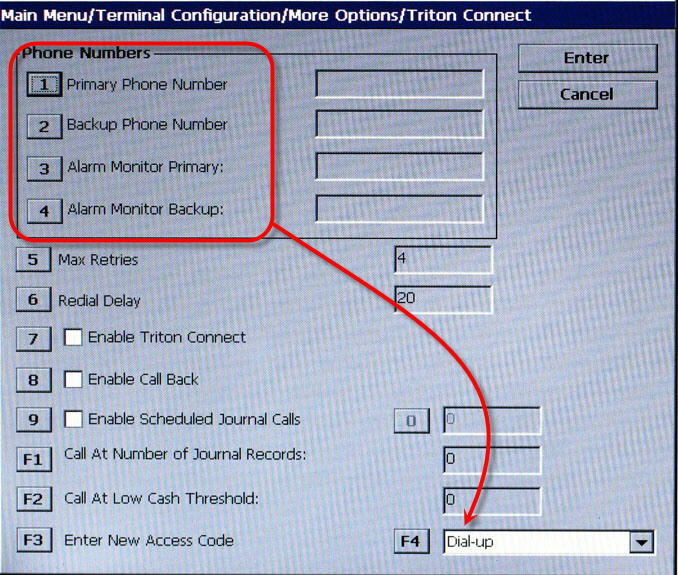
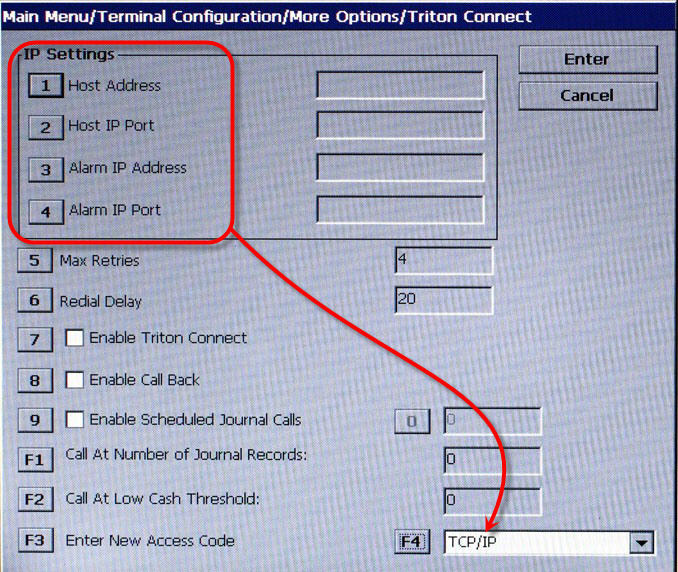
The options found on the Triton Connect screen are determined by what is selected in option F4. This should be the first item configured on this screen. By pressing F4 repeatedly, the available options cycle through this field until the appropriate communication protocol is found.
Below is a comparison of the different options when either a Dial Up or TCP/IP type is selected.
Dial Up |
TCP/IP |
|
 |
For Dial Up, click on the left screen. |
For TCP/IP, click on the right screen. |