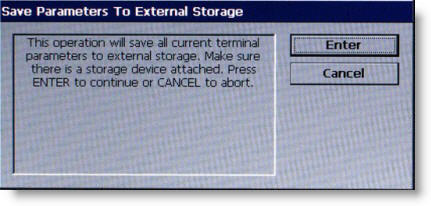
The SAVE
PARAMETERS TO EXTERNAL STORAGE function saves the current terminal
parameters to an external storage device (USB drive) attached to a
USB port.
STEPS:
1
Open the control panel and install the USB drive to any
unused USB port.
2
Close the control panel. Select 6
on the keypad.
3
The prompt shown above appears. Press ENTER
to continue.
4
A dialog box will appear to enter a file name. Accept
default file name or input file name and then press ENTER.
5
When the successful dialog appears, press ENTER.
6
Open the control panel and remove the USB drive.
Click on
the Enter button above to advance
to the next screen.