Description
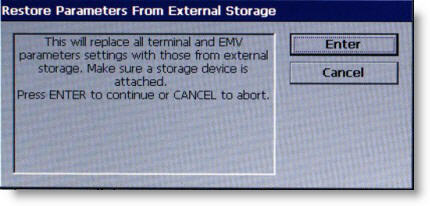
The RESTORE PARAMETERS FROM EXTERNAL STORAGE function restores a previously saved set of parameters from an external storage device (USB drive).
1 Open the control panel and install the USB drive to any unused USB port.
2 Close the control panel and select 7 on the keypad.
3 The prompt shown above appears. Press ENTER to continue.
4 In the next dialog box, locate the filename for the saved parameters.
5 Press ENTER to select the highlighted file.
6 When the successful confirmation displays, press ENTER.
7 Open the control panel and remove the USB drive.
Click on the Enter button above to advance to the next screen.
Return to Terminal Status
Return to Diagnosis
Return to Main Menu