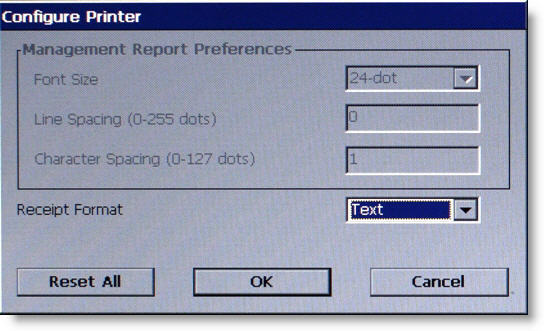
Configure
Printer allows change of the printer’s default settings. (A
maintenance keyboard can be used to interact with this screen.) The
changes that can be made are:
°
Font Size - Printed font characters can be
changed to either 16 or 24 font.
°
Line Spacing - Sets the spacing between lines
on the receipt or coupon.
°
Character Spacing - Sets the spacing between
characters on the receipt or coupon.
NOTE: The above settings
are not available for change on the Traverse.
°
Receipt Format is a new feature to the 3.0
software. A setting of either Text
or Graphics may be selected.
Use the arrow keys to toggle between
the selections.