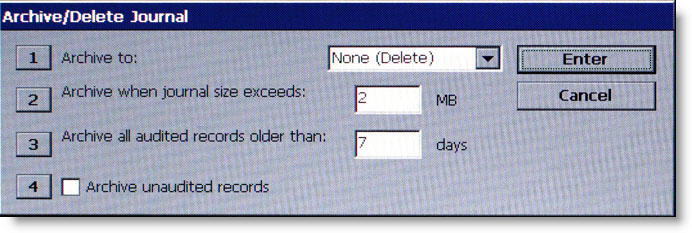
AUTO ARCHIVE sets the parameters that allows the electronic journal data to be archived/deleted at a predefined schedule based on the time in days and the size of the journal file measured in megabytes (MB).
1 Archive to: This option selects where the archived audited journal records will be saved. Repeatedly pressing 1 cycles the options: None (Delete), Internal Flash, Compact Flash, or USB Device. If an external storage device is not available, it is possible to archive the journal records to internal flash memory. Once deleted, the selected audited records cannot be retrieved. This option can be used after all applicable records have been archived to an external storage device and internal memory needs to be freed up on the main board.
2 Archive when journal size exceeds: When the journal exceeds the specified size (in megabytes), all audited records older than the specified number of days (refer to item 3) will automatically be archived. Valid values for entry are 1-10. The default value is 2.
When 2 is pressed, a data entry dialog box appears. Enter the value for the journal size.
3 Archive all audited records older than: This number specifies which journal records will be automatically archived. All audited journal records older than the specified number of days previous to the current date will be archived or deleted when then journal exceeds the specified size (refer to item 2). Valid values for entry are 1-9999. This number should be set to a low value. The default value is 7.
Normally the ATM would go out of service if the journal reached the maximum defined size and there are no audited records older than the specified date. The ATM should no longer go out of service for this condition (EC 151 - Electronic journal full).
When the electronic journal reaches the maximum defined size, the terminal should archive or delete all records older than the specified date, regardless if they are audited or not.
Note that this means the journal can grow larger than the maximum defined size if there are no records older than the configured date. This condition will still not force the terminal out of service with a 151 error. However, it is possible for the terminal to eventually go out of service with a low flash error if the journal grows too large.
4 Archive Unaudited Records - When this option is enabled (checked), it allows archiving/deletion of unaudited records.
Note: This option only available to the Master User.
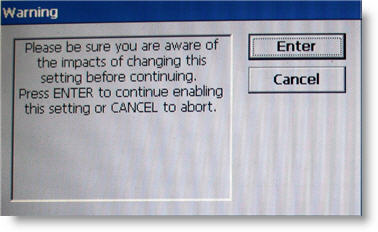
When 4 is pressed, this prompt appears:
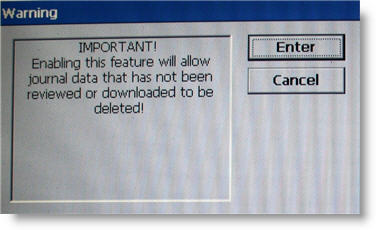
If ENTER is pressed on the warning prompt, a secondary warning prompt appears: